
Press play. The download catches up.
OnFly is a native torrent video player for Mac. Open a .torrent file or magnet link, pick a video, and it starts playing in seconds — streaming the pieces it needs while the rest arrive.
macOS 15 or later · Apple silicon and Intel

How it works
Open. Choose. Watch.
Open a torrent
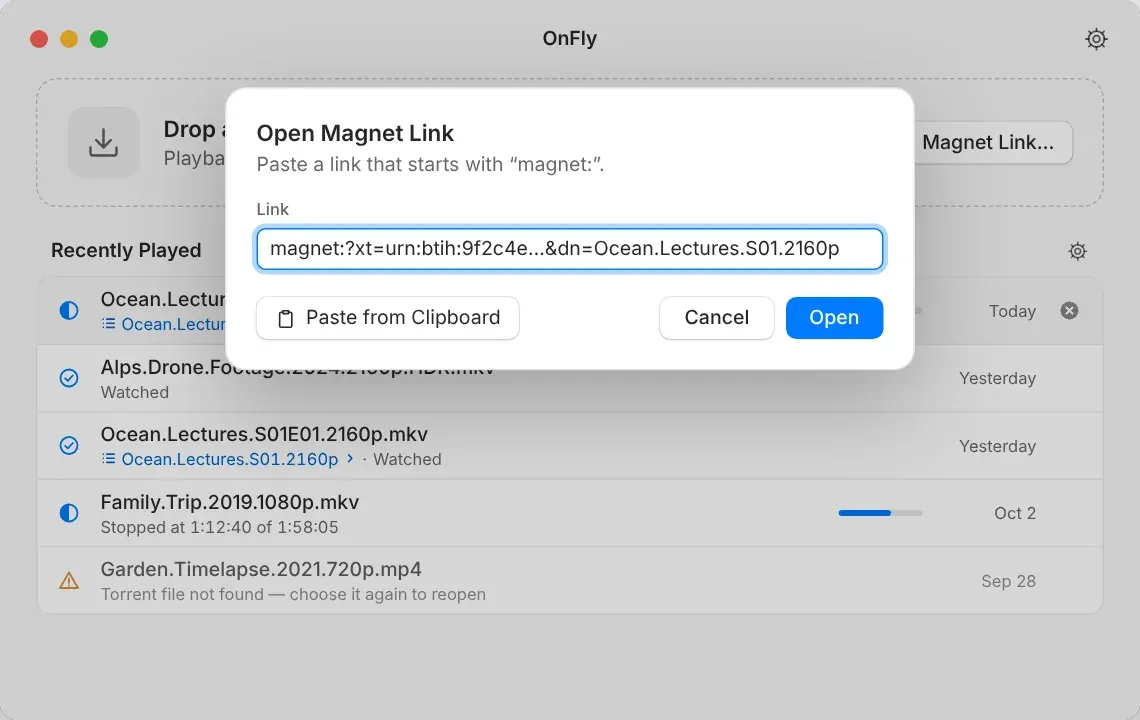
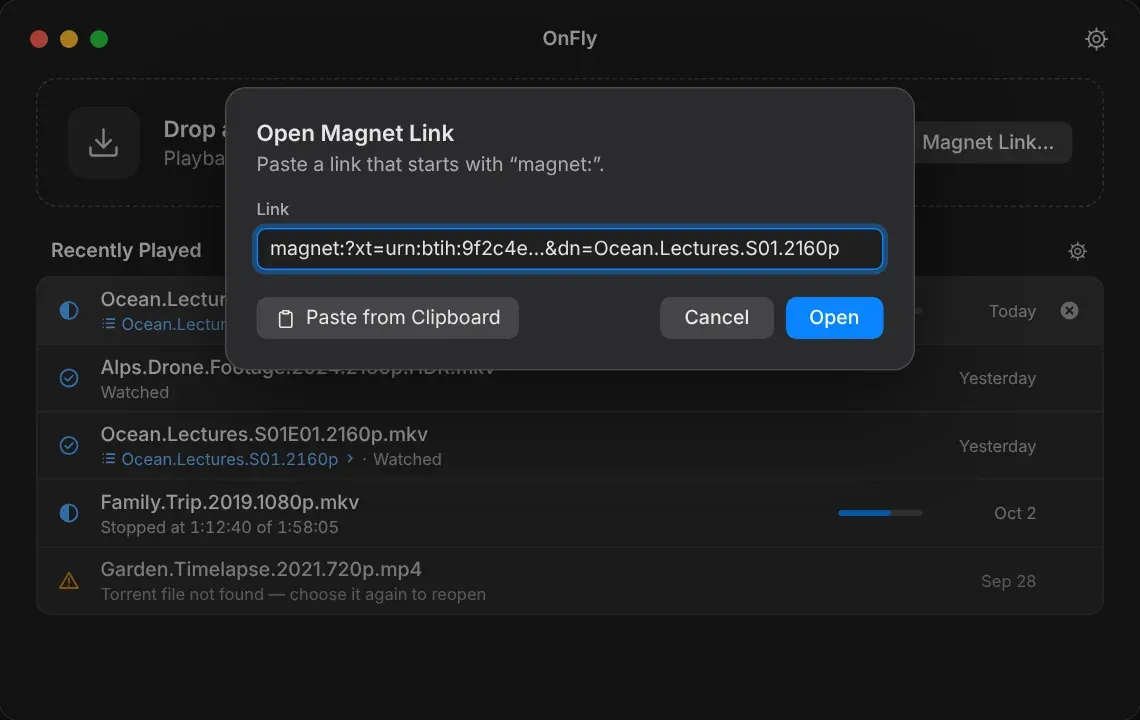
Drop a .torrent file on the window, choose one with ⌘O, or paste a magnet link. OnFly resolves the metadata in seconds.
Choose a video
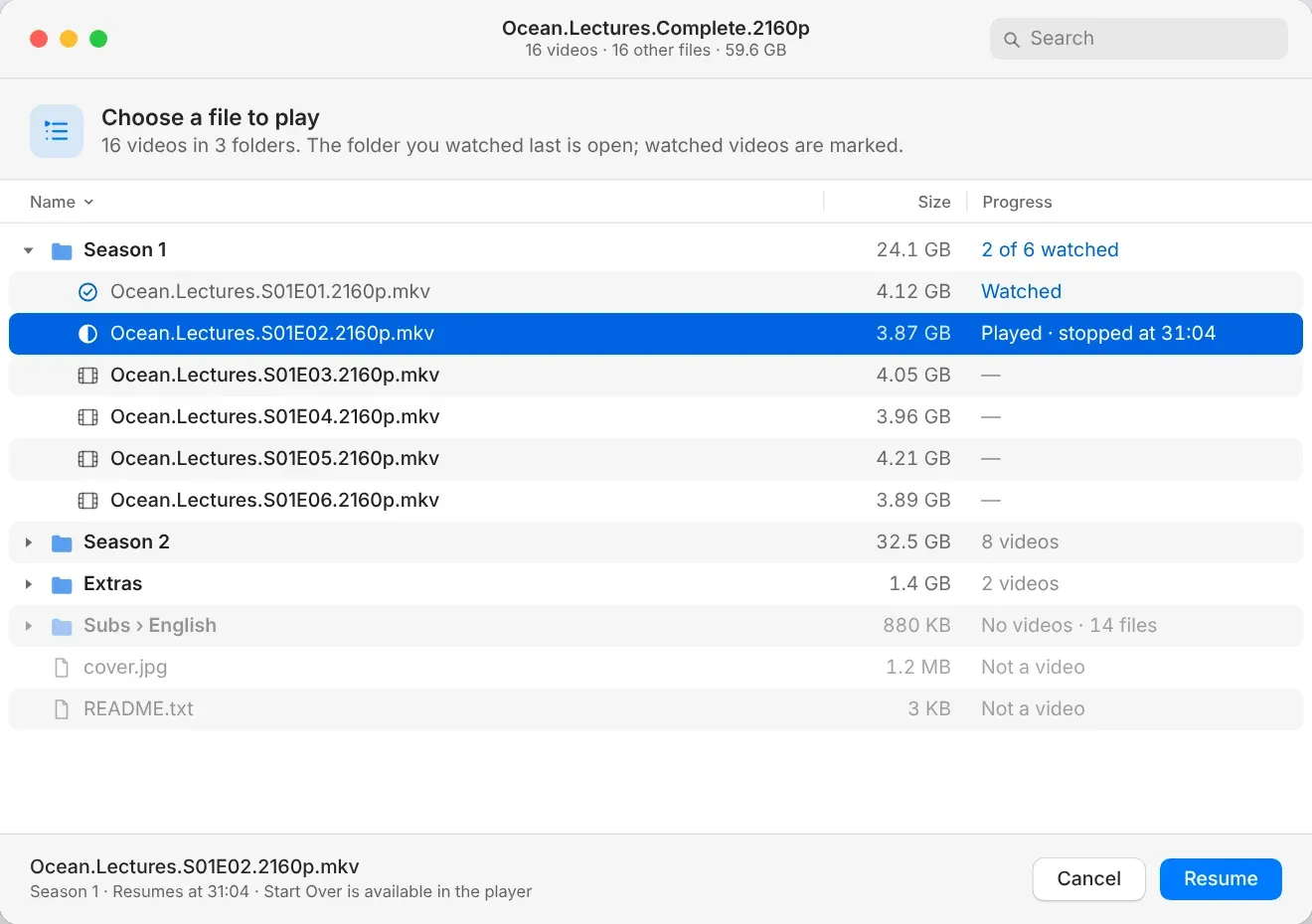
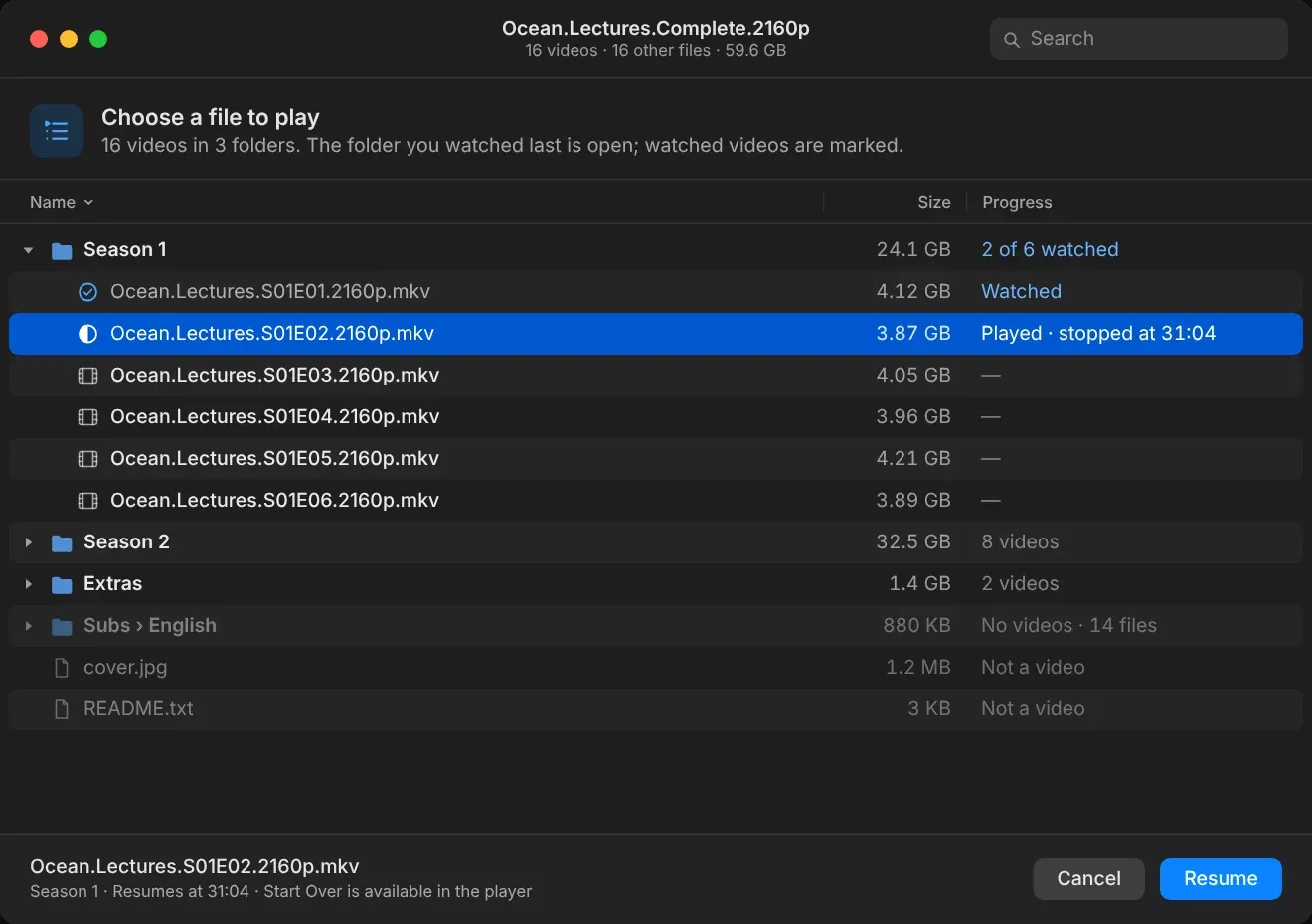
Multi-file torrents open as a familiar file list with sizes, folders and watched markers. Pick a file — nothing downloads until you do.
Watch right away
Playback starts as soon as the first pieces are verified. Seek, switch tracks and go fullscreen while the rest streams in.


On-demand streaming
Jump anywhere. OnFly fetches that part first.
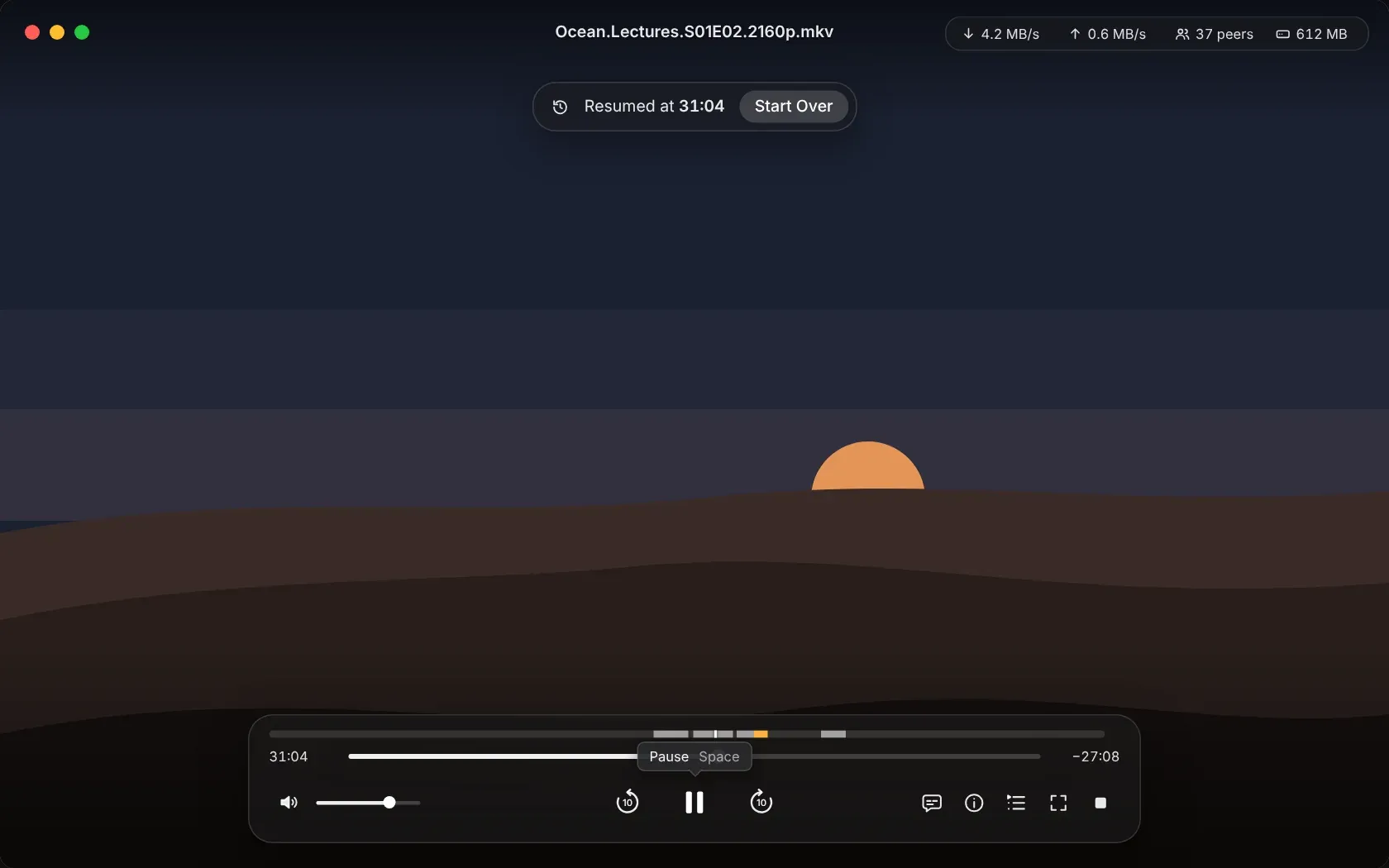
Seek to the middle of a two-hour video and OnFly reprioritizes the swarm around your playhead. Verified pieces go straight to the player, and the piece map above the timeline shows what’s ready, what’s arriving and what’s next.

Bounded cache
A 60 GB season. A 1 GB footprint.
OnFly keeps a sliding window of the video on disk and never grows past the budget you choose — 1 GB by default. Seek backwards and it simply fetches those pieces again. Stop the session and the temporary data is gone.
- default cache budget
- 1 GB
- left behind after Stop
- 0 bytes


Playback history
Picks up right where you stopped.
Recently Played lists your last five videos with progress. Click one and OnFly resumes at the exact second — with Start Over one click away. Watched episodes are marked in multi-file torrents, and the history stays on your Mac.


Everything a player should do. Nothing it shouldn’t.
Audio and subtitles
Switch embedded audio and subtitle tracks, or load subtitle files from the same torrent — matched to the video by name.
Playlist for multi-file torrents
Move to the next episode from inside the player. Watched files are marked, the last folder you used stays open.
Transparent session info
Download and upload speed, peers and cache use against your budget — or hide the statistics entirely.
Clean stop, every time
Stop, close the window or finish the video and the session ends: peers disconnect and temporary files are removed.
Honest error states
Stalled swarm, lost network, unsupported codec or too little disk — OnFly says what happened and what you can do.
At home on macOS
Light and Dark appearance, full keyboard control, VoiceOver labels and a UI in English, Spanish, Ukrainian and Russian.
Inside the player
Out of the way until you need it.
The video fills the window. Move the pointer and the controls appear — tracks, playlist, session details and a full set of keyboard shortcuts.


Made for content you have the right to share.
Open courseware, Creative Commons films, public-domain classics, conference talks, your own recordings shared between your devices. Like any BitTorrent client, OnFly uploads pieces to other peers while a session is active — OnFly tells you this on first use, and pressing Stop ends it. OnFly does not include, index or link to any content.
Tech specs
- System requirements
- macOS 15 or later · Apple silicon and Intel
- Inputs
- .torrent files and magnet links
- Video formats
- MKV, MP4 and other containers supported by libVLC; no transcoding
- Disk cache
- Sliding cache with a selectable budget, 1 GB by default
- Subtitles
- Embedded tracks and subtitle files from the same torrent
- Languages
- English, Spanish, Ukrainian, Russian
Get OnFly.
Download OnFly for your Mac.
- Version 1.0.0 (build 9)
- Released October 26, 2026
- 52.2 MB
- Requires macOS 15.0 or later
Questions
Does OnFly save the whole video?
No. OnFly is a player, not a downloader. It keeps only a sliding window of the video within your cache budget and removes it when the session ends.
Does OnFly upload while I watch?
Yes, like every BitTorrent client it shares pieces with other peers while a session is active. OnFly explains this the first time you open a torrent, and Stop ends all transfer immediately.
Where can I find something to watch?
OnFly doesn’t include or link to any content. Many universities, film archives and creators publish open-licensed video as torrents — use OnFly only for content you have the right to download.
What happens if my connection drops?
Playback continues from what is already cached, and OnFly reconnects when the network returns. If no data arrives for a while, it offers Try Again or Stop.
Do I need an account?
No. You buy a license, receive a license file by email and activate it on your Mac. OnFly checks in periodically and works offline in between.
Where are the open-source licenses?
OnFly lists every third-party component and its license in the app. The matching LGPL source archive is available for download on this site.